Email & Messenger
Campaigns Service
Send stylish emails, share useful content, and grow

your client base with Mavibot
More than 15,000 companies use Mavibot
Campaign features in Mavibot
Email and messenger campaigns in one service
Automated funnels with message chains and timers
Import contacts and save segments for repeated launches
Email builder: add text, buttons, and images
Precise audience selection by lists, tags, and CRM data
Quick launch: recipients, message, sending
We help at every stage
What the campaigns interface looks like
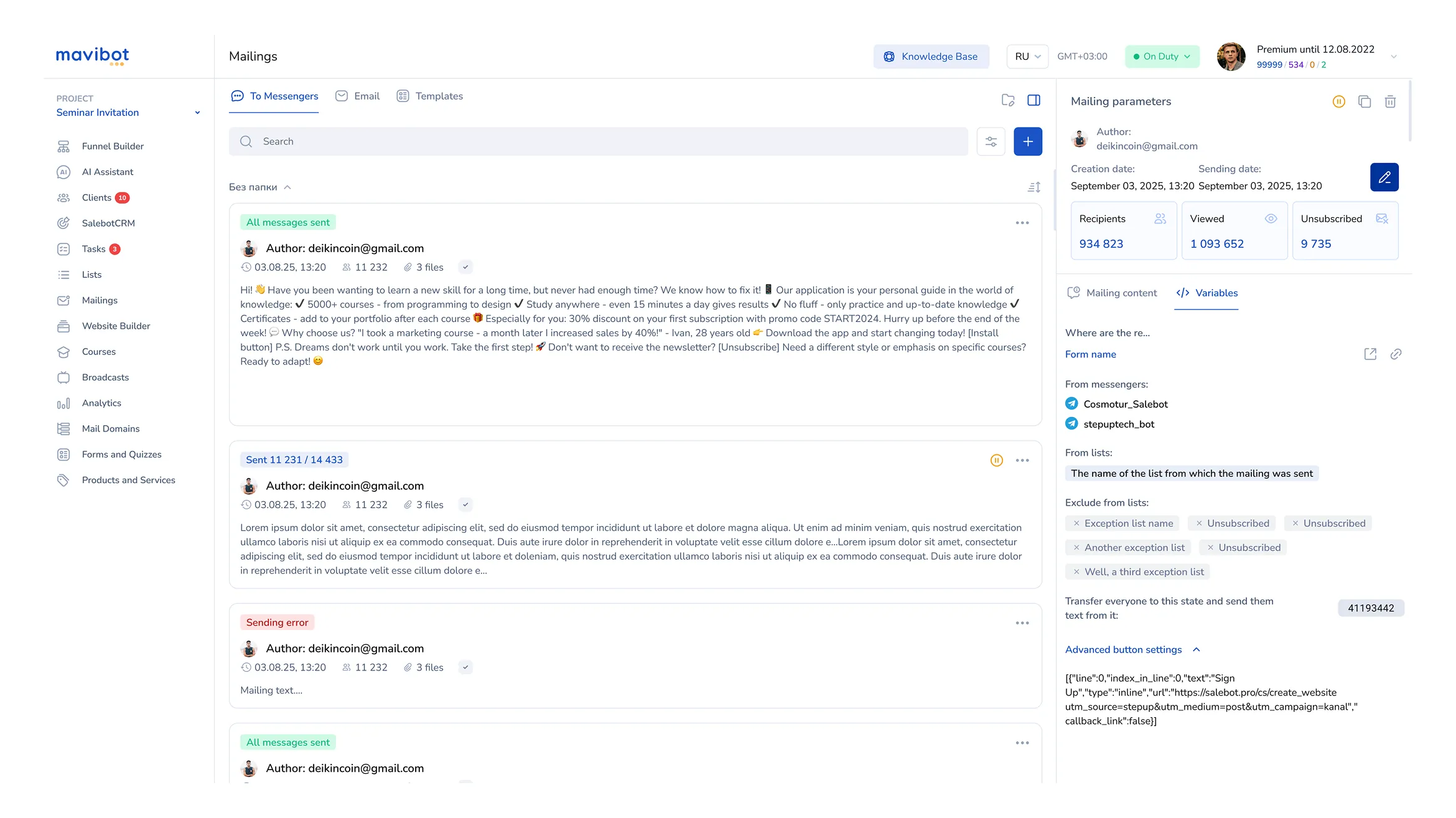
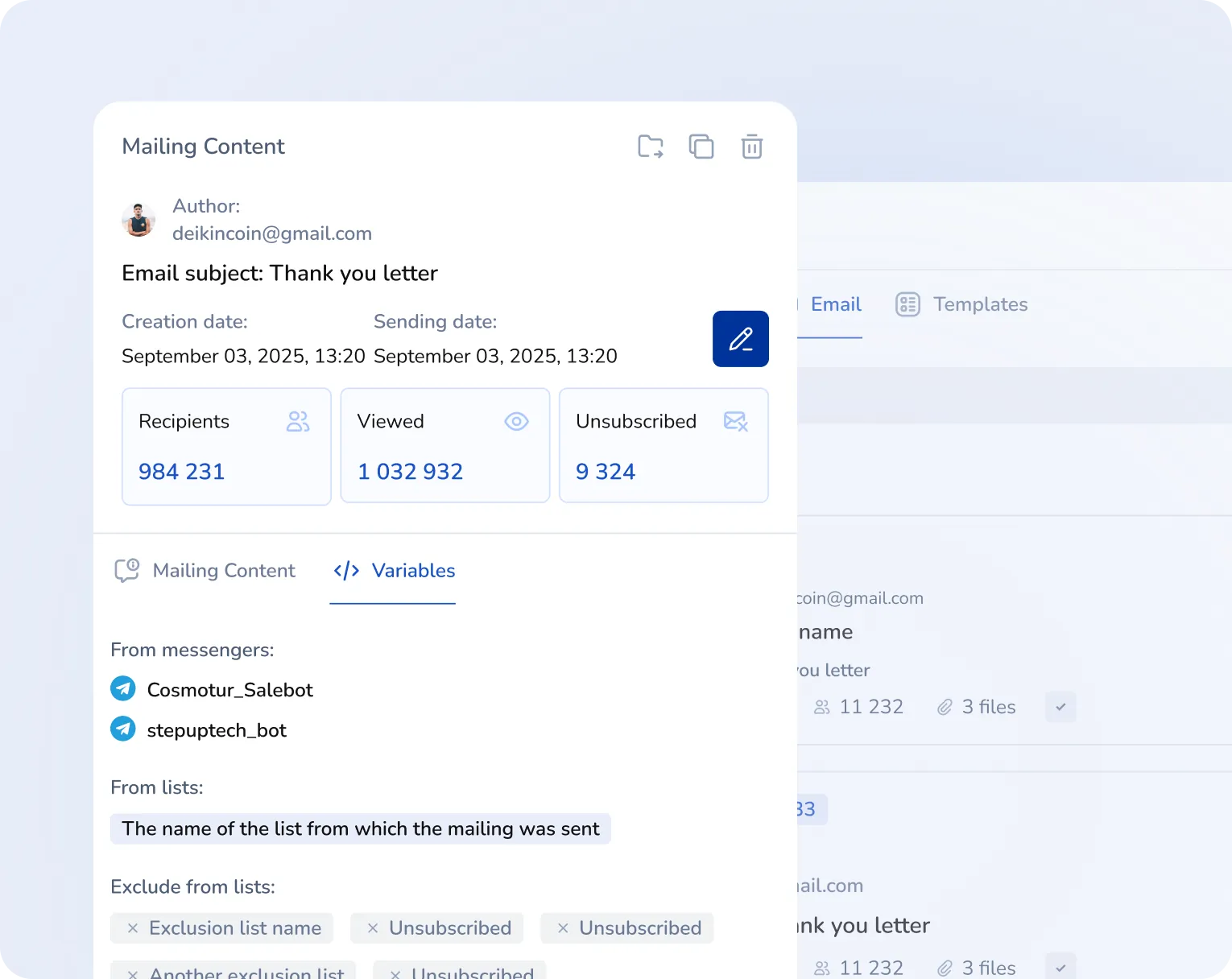
Recipients
Choose recipient lists or send a campaign to the entire database
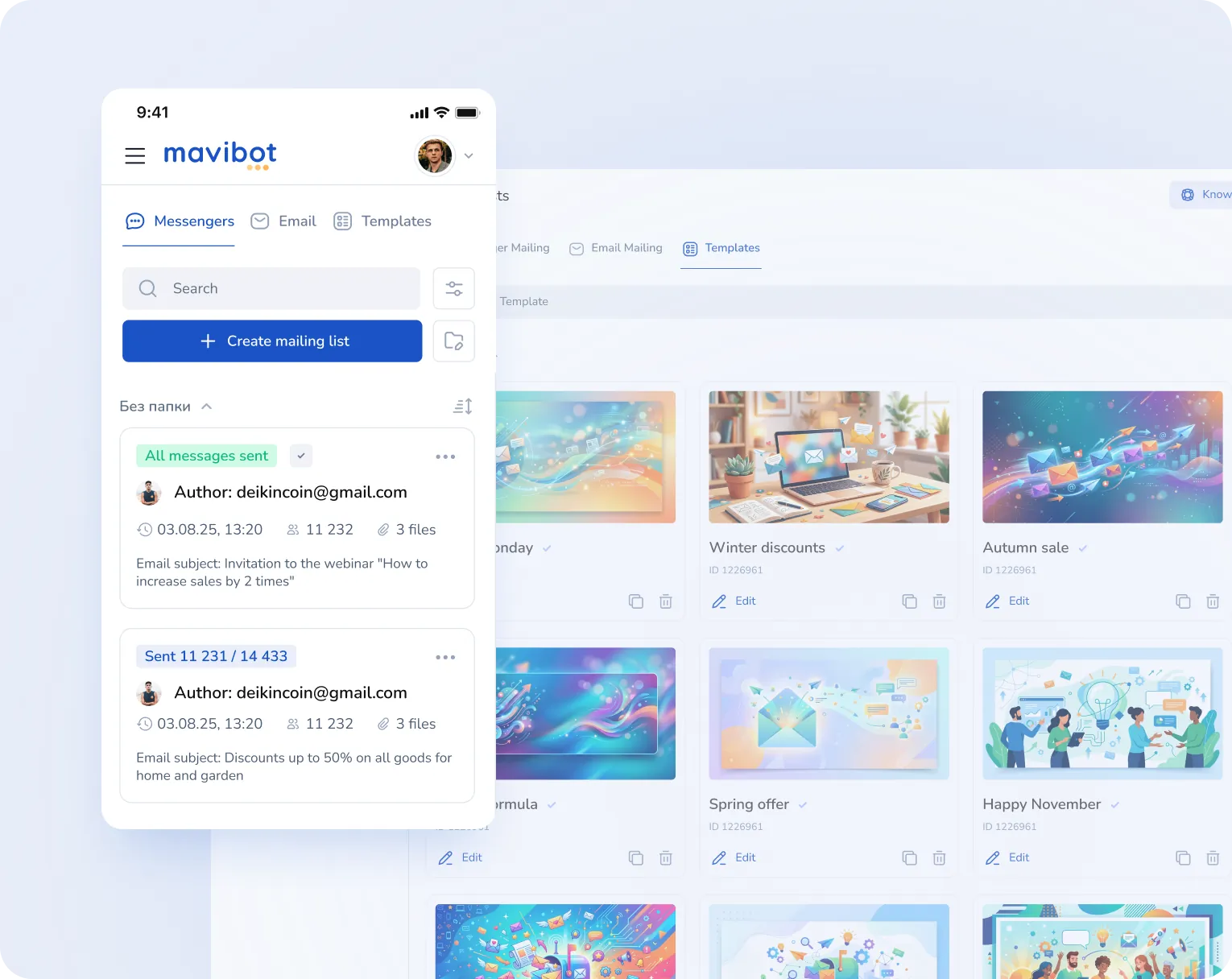
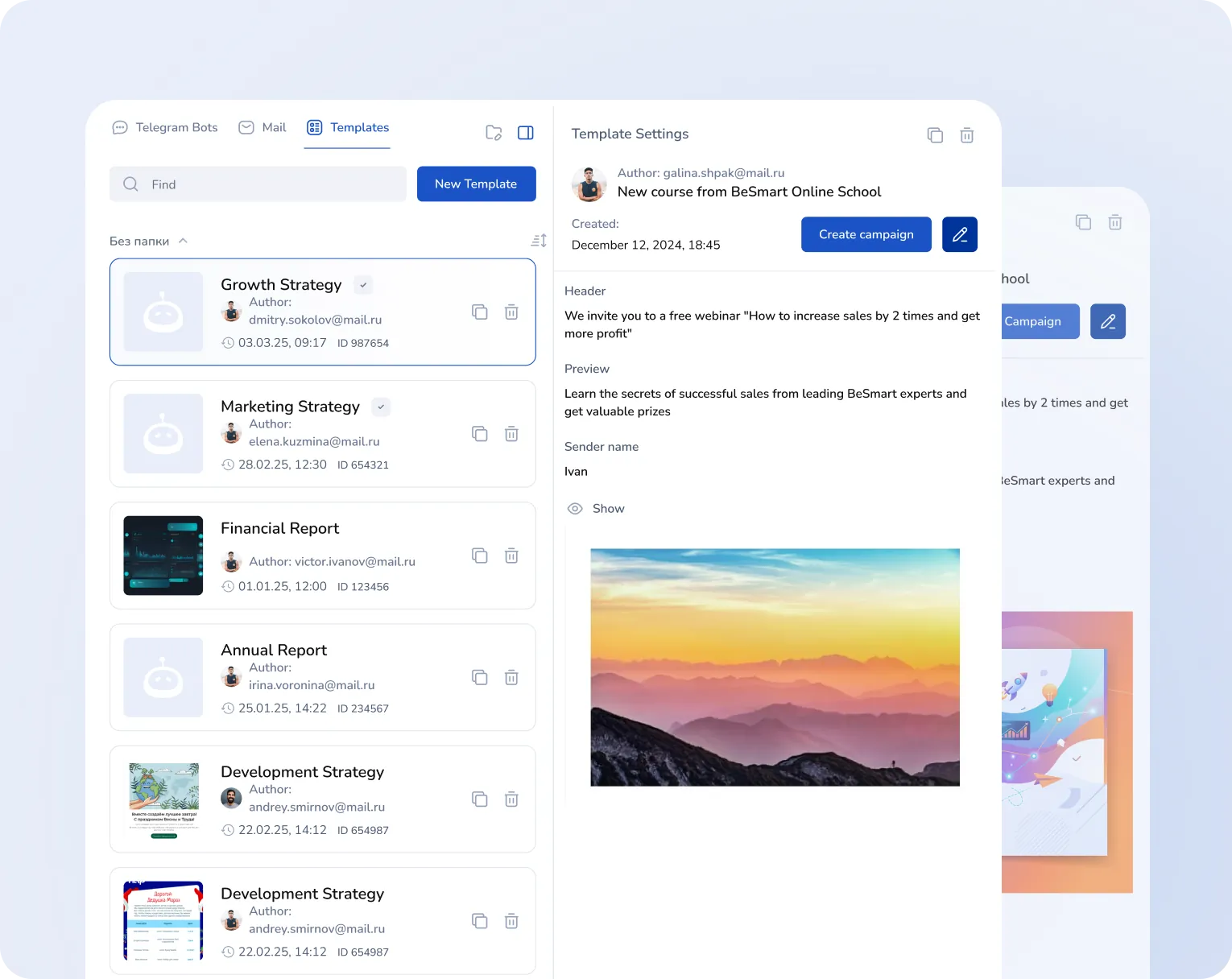
Email builder
Create an email from ready-made blocks and preview how it looks before sending
Messengers
Choose recipient lists or send a campaign to the entire database
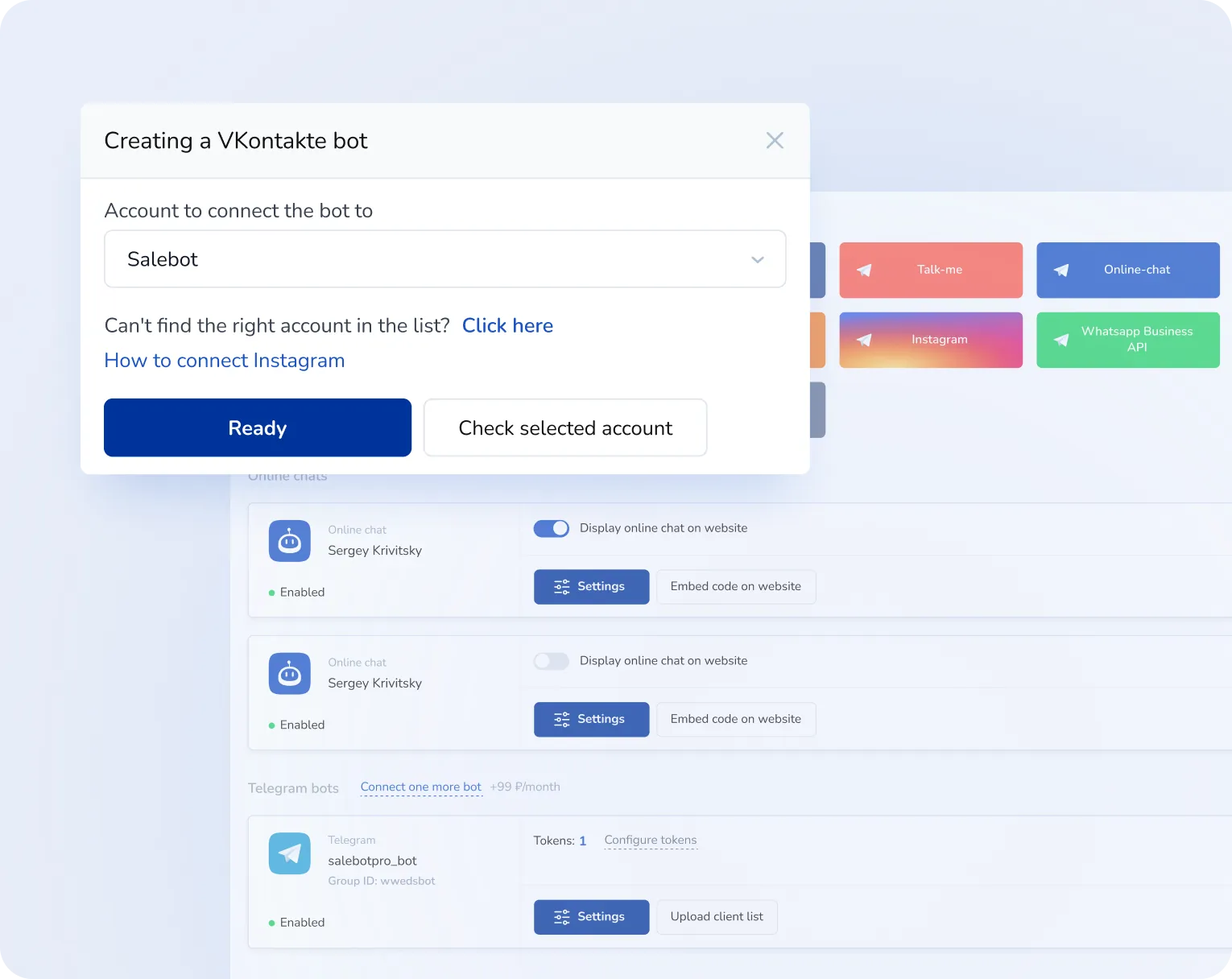
Automated funnels
Launch message sequences based on timers and conditions
Recipients
Email builder
Messengers
Automated funnels
We automate. We simplify. We help.
Analytics advantages in Mavibot
Unified platform Mavibot
CRM, online booking, chatbots and broadcasts are combined in one system — no need to switch between services
Quick campaign launch
Upload your customer base, connect email, and prepare the message — you are ready to send campaigns
Precise recipient selection
Filter customers by different parameters or send a campaign to the entire database
No-code email builder
Create email messages in a visual editor and use templates for recurring campaigns
Automatic message chains
Set up automated funnels with timers to move a customer toward a lead without manual sending
From small businesses to agencies
Mavibot fits
Online stores
Agencies and consulting
Online schools
Hotels and tourism
Fitness clubs
Restaurants and cafes
Step by step
How to launch campaigns in Mavibot
Choose channels
Set up delivery to email and messengers. Reach customers where it is easier for them to reply
#1
Set up segments
Upload the database from a file or filter recipients by tags and CRM purchase data
#2
Build the email
Design the message in the builder. Add buttons, images, and personalization parameters
#3
Launch the campaign
Send emails right away or through automated chains. Track clicks and results in analytics
#4
Real examples — real results
Mavibot success stories
MilaVitsa Lingerie Store
Automating Customer Feedback and Boosting Engagement at Milavitsa, helping the brand respond faster and increase loyalty
Online TEFL/TESOL Certificate Course
Automated Instagram DMs deliver learning materials directly in chat
MN Beauty Salon
MN beauty salon implemented online booking and stopped losing client requests
Home & Living Store
Built a digital sales funnel that streamlined customer journeys and increased sales by 1.5x
Tour company Anex Tour
Automated sales and improved manager performance control
Aesthetic Plastic Surgery Clinic
A Telegram automation funnel was launched and started generating leads from day one
Face Fitness School
Built a step-by-step webinar funnel with full customer control
PixelQuest with MaviBot
Automation of routine tasks cut down managers’ manual work
What People Say about Us
Mavibot customer reviews
What People Say about Us
Mavibot customer reviews
4.97
Business owners trust MaviBot
Anna
Sales Manager
Before:
Managers got lost in different messengers, missing client requests and wasting time on routine.
After:
All communication is in one place, routine tasks are automated, and the whole sales team works faster and more effectively.
Kate
CRM Specialist
Before:
Managing client base and deal stages was time-consuming, with too much routine work.
After:
A simple CRM helps segment clients, automate communication, and let managers focus on key tasks.
Jennifer
Marketing Manager
Before:
Client journey management was complex, promotions were hard to track, and employees were overloaded.
After:
Automation simplified the client journey, boosted loyalty, and made promotions and feedback collection smooth.
David
Digital Director
Before:
After losing the main channel, the company risked losing digital clients.
After:
With automated funnels and personalized mailings, we built our own digital base and improved performance.
4.97
Business owners trust MaviBot
No hidden fees or additional charges
A subscription that saves you money
Additional options
+1000 messages
per day
$ 4.90
+1000 email
per day
$ 9.90
+2 GB
file storage
$ 1.90
+100 students
in project
$ 9.90
Additional messenger
$ 9.90
Additional employee
$ 9.90
One service for all your needs.
Change your business approach
starting today
Book a Mavibot demo —
we’ll show how to automate sales without extra routine
FAQ for newsletter landing pages

Answers to frequently asked questions

Is it possible to send email and instant messaging campaigns?
In Salebot, you can launch email and instant messaging campaigns from a single service.
Can I customize the campaign myself?
You can create your own campaign using the visual designer: add text, images, buttons, and personalization.
Is Salebot suitable for automated message chains?
The service allows you to set up auto-funnels with message chains and timers to guide clients to a request without manual sending.
Is it possible to segment your customer base before sending?
Recipients can be selected by lists, tags, and CRM data, and you can save segments for future campaigns.
Are newsletters suitable for online stores and online schools?
The solution is suitable for online stores, online schools, agencies and consulting, hotels and tourism, fitness clubs, restaurants, and cafes.
Is it possible to send personalized newsletters?
You can add personalization, buttons, and other elements to your emails to tailor them to the recipient.